
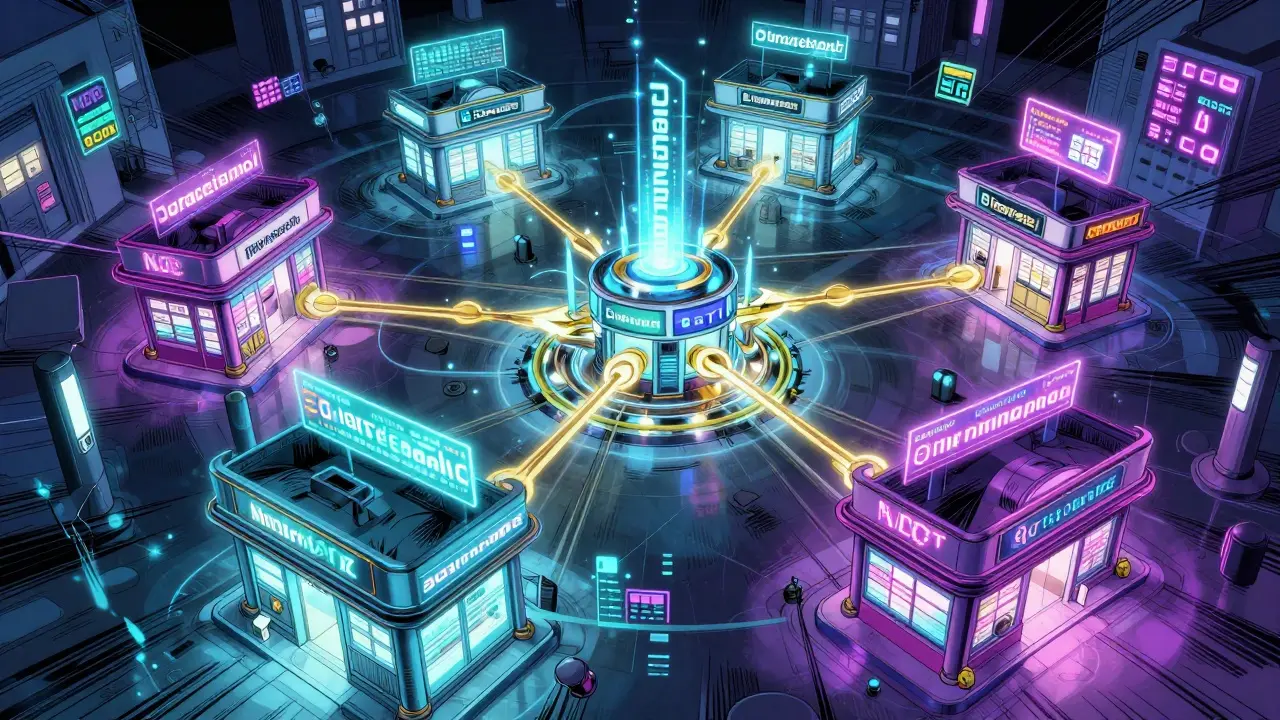
Managing multiple pharmacies and prescribers isn’t just about keeping track of inventory or filling more prescriptions. It’s about preventing deadly mistakes. When a senior patient gets prescriptions from three different doctors and picks up meds at two different pharmacies, the risk of dangerous drug interactions, duplicate therapies, or incorrect dosages skyrockets. Without a centralized system, errors happen-not because someone’s careless, but because information is scattered across silos. The good news? There are proven ways to fix this. And it starts with technology that speaks the same language across every location and every prescriber.
Why Centralized Systems Are Non-Negotiable
Think of your pharmacy network like a team. Each location is a player, but if they’re all using different playbooks, the whole team loses. Without a unified system, one pharmacy might list "acetaminophen" while another uses "paracetamol"-same drug, different name. That’s enough to trigger a dangerous mix-up, especially for seniors on 8-12 medications. According to the American Journal of Health-System Pharmacy, 17% of medication errors in multi-pharmacy chains come from inconsistent drug naming. That’s not a glitch. It’s a systemic failure. Centralized software fixes this by maintaining a single, universal drug file. Every pharmacy, no matter where it is, pulls from the same database with standardized NDC codes, brand/generic names, and dosage formats. EnterpriseRx, PrimeRx, and Datascan all do this. And it’s not optional anymore. CMS now requires multi-location pharmacies to track cross-location prescription errors to qualify for Medicare Part D reimbursement. If you’re not using a centralized system, you’re not just risking patient safety-you’re risking your revenue.How These Systems Actually Work
Modern pharmacy management platforms don’t just store data-they connect it. When a prescriber sends an e-prescription to any location in your chain, the system instantly checks the patient’s full medication history across all pharmacies. It flags duplicates, allergies, or interactions before the script is even filled. That’s real-time safety. Here’s how it breaks down:- Drug file sync: All locations use the same drug database with consistent naming, strength, and formulary rules.
- Real-time patient profiles: A patient’s complete history-including prescriptions filled at other locations-is visible to any pharmacist in the network.
- Automated alerts: If a new prescription conflicts with an existing one, the system blocks it and notifies the pharmacist.
- Inventory balancing: Systems like Datarithm automatically recommend transfers between locations to prevent stockouts or overstocking, reducing waste and ensuring availability.
Security: Protecting Patient Data Across Locations
With multiple access points, security becomes critical. Patient data isn’t just private-it’s legally protected under HIPAA. Any breach can cost hundreds of thousands in fines and destroy trust. Top systems use AES-256 encryption for all data transfers between locations. That’s the same level used by banks and the U.S. government. But encryption alone isn’t enough. DocStation introduced FIDO2 security keys for central office access to house accounts. These are physical keys-like USB tokens-that must be plugged in to authorize sensitive actions. In their 2022 client implementations, this cut unauthorized access by 94%. Even better? Systems like Datascan’s Watchdog feature monitor all locations from one dashboard without requiring staff to log in remotely. That means no weak passwords, no shared logins, no risky VPNs. It just watches. And if something looks off-like a spike in controlled substance pickups at one store-it flags it immediately. Chains using this feature saw a 44% drop in controlled substance discrepancies in 2023.
Choosing the Right Software: What to Look For
Not all pharmacy management systems are built for chains. Some only handle one location. Others charge extra for each additional store. Here’s what actually matters:- Unlimited locations: Datascan and EnterpriseRx support unlimited stores. Avoid systems that cap at 10 or charge per location beyond that.
- Real-time sync: Daily syncs are fine for inventory, but prescriptions need real-time updates. If there’s a lag, errors creep in.
- Prescriber integration: EnterpriseRx now connects directly with Epic EHR systems, letting pharmacists see prescriber notes and communicate instantly. This cuts communication-related errors by 18%.
- AI-powered safety: Datascan’s AI Watchdog 2.0, launched in January 2024, analyzes prescription patterns across all locations to detect potential diversion or abuse with 92.4% accuracy in beta tests.
- Compliance-ready: Must meet HIPAA, Joint Commission, and CMS standards. Ask for audit reports.
What Happens When You Don’t Use a Central System
The risks aren’t theoretical. A 2024 National Pharmacist Association audit found that 23% of chains using standalone software had billing discrepancies between locations. That’s not just accounting errors-it’s patients being charged twice, or worse, not getting their meds because the system didn’t know they’d already filled them elsewhere. One pharmacy chain in Ohio had a senior patient on warfarin. He filled a refill at Store A, but Store B didn’t know. The pharmacist there filled another script. The patient ended up in the ER with a dangerous INR level. No one knew he’d been on two prescriptions at once because the systems didn’t talk. These aren’t rare cases. They’re the norm without centralized control.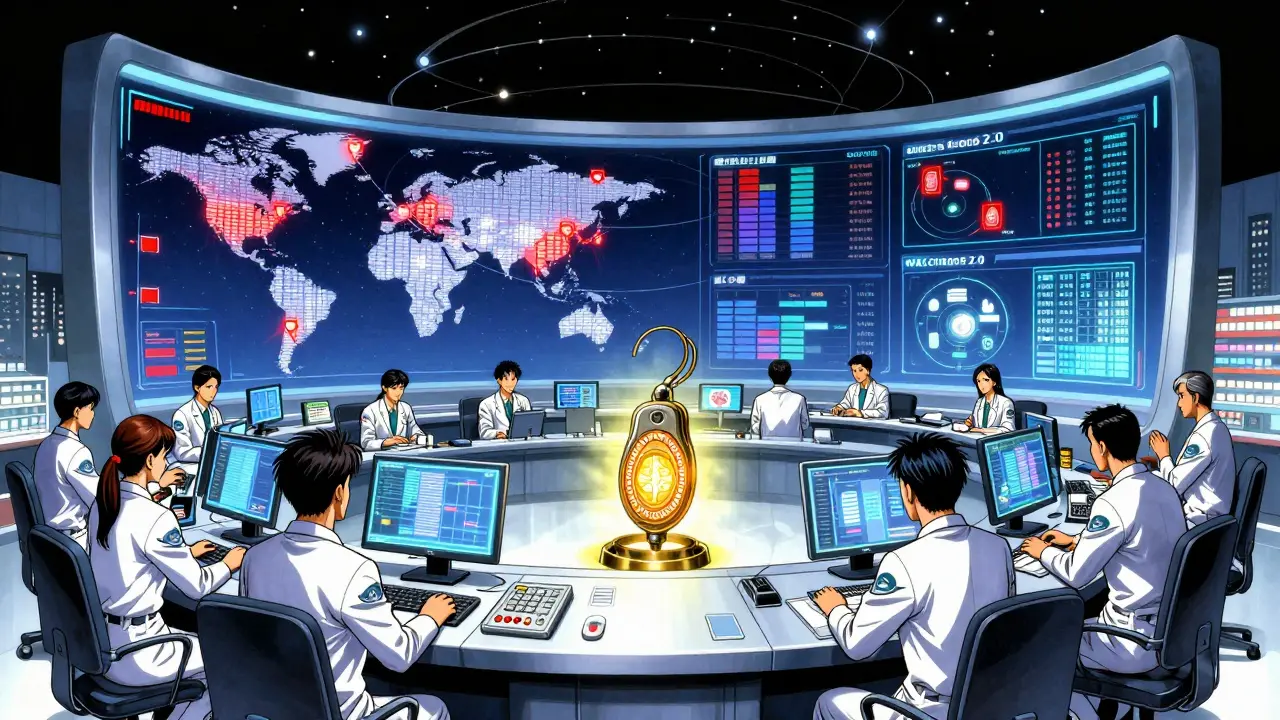
Implementation: What to Expect
Switching systems isn’t a weekend project. Most chains take 8-12 weeks to fully migrate, especially with 5-10 locations. The biggest hurdle? Data migration. Pharmacy Times found that 27% of chains had prescription history errors during the transition. That means some patients’ records were incomplete or duplicated. The fix? Manual verification of 14.7% of active profiles on average. That’s a lot of hours. To reduce disruption:- Use the "hub-and-spoke" model: One central location manages drug files and pricing. Local pharmacies keep clinical decision-making.
- Train staff properly: Chains using vendor-certified trainers saw 12% higher adoption than those training internally.
- Start with a pilot: Roll out to 2-3 stores first. Fix issues before going company-wide.
The Future Is Here
The market is shifting fast. The global pharmacy software market will hit $4.91 billion by 2028. Why? Because regulations are tightening. The Pharmacy Quality Alliance predicts centralized systems will be mandatory for chains with 3+ locations by 2027. New tech is arriving too. Blockchain-based prescription verification is being piloted by Outcomes.com. In 2023 trials, it cut prescription fraud by 67% in multi-location settings. And by 2025, CMS will require all systems to support FHIR APIs. That’s a $200,000+ upgrade for 63% of current platforms. If you’re using an old system, you’re not just behind-you’re at risk of being shut out.Final Thought: Safety Isn’t a Feature. It’s the Foundation.
Managing multiple pharmacies and prescribers safely isn’t about saving money. It’s about saving lives. Seniors don’t need more complexity. They need clarity. Consistency. And systems that never forget. The tools exist. The data proves they work. The question isn’t whether you can afford to switch. It’s whether you can afford not to.Can I manage multiple pharmacies without expensive software?
Technically, yes-but it’s risky. Spreadsheets, paper logs, and manual calls between locations will eventually fail. One missed update, one misheard name, one outdated drug list can lead to a dangerous interaction. The cost of a single error-hospitalization, legal liability, lost trust-far exceeds the monthly fee for a centralized system. For chains with more than two locations, software isn’t optional. It’s a safety necessity.
How do I ensure my prescribers are on the same page?
Use software that integrates directly with electronic health records (EHRs). EnterpriseRx now connects with Epic, Cerner, and other major EHR systems, allowing pharmacists to see prescriber notes, allergies, and lab results in real time. If your software doesn’t do this, ask your prescribers to send prescriptions through a common e-prescribing network like Surescripts. Avoid faxed or handwritten scripts-they’re the #1 source of transcription errors.
What’s the biggest mistake pharmacies make when going multi-location?
Assuming one size fits all. Some chains try to centralize *all* decisions-including clinical judgment. That’s a mistake. Local pharmacists know their patients’ habits, caregivers, and risks. The best systems give them the data, but let them make the call. The University of California study showed that keeping clinical decisions local reduced errors by 38% compared to fully automated systems.
Do these systems work for specialty pharmacies?
Most general systems don’t. Specialty pharmacies handling complex therapies like oncology or rare diseases need software built for that. TherigySTM, for example, handles 98.7% accurate patient onboarding from EHRs for specialty meds-compared to 82.3% for standard systems. If you manage high-risk therapies, don’t try to force a general-purpose tool. It won’t catch the nuances.
Is cloud-based better than on-site software?
Yes, for multi-location chains. Cloud-based systems offer 99.99% uptime, automatic updates, and remote access without complex IT setups. On-site servers require dedicated staff, backup systems, and physical security. Most chains now use cloud platforms because they’re more reliable, scalable, and easier to maintain. RedSail Technologies reports 47ms average response times across 50-location chains-something on-site systems rarely match.
How do I train staff effectively?
Use vendor-certified trainers. Chains that did this saw 12% higher adoption rates than those using internal staff. Training should be hands-on, not just slides. Practice real scenarios: What happens if a patient fills a script at Store A and tries to refill at Store B? What if a new prescription conflicts with one from last week? Role-play it. And make sure every pharmacist knows how to use the alert system-not just ignore it.
What should I do if my current software doesn’t support multiple locations?
Start planning your migration now. Don’t wait until you’re forced by regulation or an error occurs. Evaluate systems like EnterpriseRx, PrimeRx, or Datascan. Request demos focused on your specific needs: patient transfers, inventory balancing, and prescriber integration. Ask for case studies from chains your size. And don’t rush the data migration-take time to verify every patient record. A clean start is better than a messy upgrade.
Nader Bsyouni
December 22, 2025 AT 22:27So we’re just supposed to believe that software is the answer to human error? Interesting. You treat pharmacies like data centers and patients like packets to be routed. What about the pharmacist who knows Mrs. Jenkins takes her pills at 3 AM because her cat wakes her up? No algorithm sees that. No system accounts for the fact that humans aren’t variables-they’re stories. You’re not fixing safety-you’re automating empathy out of the equation.
Julie Chavassieux
December 23, 2025 AT 07:28…I mean… like… wow… this is… so… important…? Like… people could DIE… if we don’t… use… the… right… software…? 😭
Jeremy Hendriks
December 24, 2025 AT 22:17You’re selling a solution to a problem that doesn’t exist in the way you frame it. Centralized systems create single points of failure. One breach, one outage, one vendor lock-in-and suddenly every pharmacy in the chain is blind. The real issue isn’t fragmentation-it’s control. Who owns the data? Who decides what’s a ‘dangerous interaction’? The algorithm? The FDA? The insurance company? You’re not protecting patients-you’re preparing them for corporate governance disguised as safety.
jenny guachamboza
December 25, 2025 AT 16:04ok but like… what if the software gets hacked?? like… what if the AI Watchdog 2.0 is secretly run by big pharma?? and it just… blocks all the cheap meds?? and makes you buy the $400 ones?? 🤫👁️🗨️💰 i read this on a blog once and now i’m scared to take my blood pressure pills 😭
Tarun Sharma
December 26, 2025 AT 05:23The argument for centralized systems is logically sound and empirically supported. Implementation must be phased, with due regard for staff training and data integrity. Thank you for the comprehensive overview.
Kiranjit Kaur
December 28, 2025 AT 01:42This is so inspiring!! 🙌 I work in a small pharmacy in Punjab and we’ve been using handwritten logs for years… but after reading this… I’m going to talk to my boss about switching! Maybe we can get a grant? 💪❤️ We can do this!!
Jim Brown
December 28, 2025 AT 07:39One must pause and reflect upon the ontological implications of digitizing the pharmacy. The human element-the tacit knowledge, the whispered advice, the glance across the counter that says, ‘You don’t need this’-is not merely data. To reduce the pharmacist’s role to a node in a network is to commodify care. The system must serve the practitioner, not supplant the conscience. A machine may flag a drug interaction, but only a human can discern whether a patient is too afraid to admit they’ve been skipping doses.
Sam Black
December 28, 2025 AT 10:47Love this breakdown. I’ve seen firsthand how fragmented systems hurt rural patients-especially elders who shuffle between clinics. The real win isn’t just the tech-it’s giving pharmacists back their time. When the system handles the noise, they can actually talk to the person holding the prescription. That’s where healing happens. Also, FIDO2 keys? Genius. No more ‘password123’ on sticky notes.
Cara Hritz
December 28, 2025 AT 15:24wait so if i use prime rx do i still need to check for interactions manually?? i mean like i saw a guy on reddit say his grandma got a double dose because the system lagged?? and also why does everything cost so much?? like $450 a month?? are you kidding me??
Jamison Kissh
December 29, 2025 AT 22:31What’s the failure rate of these systems? If 17% of errors come from inconsistent naming, how many come from system misconfigurations, false positives, or staff ignoring alerts? We’re assuming the tool is perfect, but tools are only as good as the people who use them. A well-trained pharmacist with paper charts might still outperform a distracted one with a flashy dashboard.
Johnnie R. Bailey
December 31, 2025 AT 18:58Let me offer a global perspective-this isn’t just an American problem. In countries with under-resourced pharmacies, even basic digital systems are luxuries. But the principles here? Universal. Standardized NDC codes, real-time alerts, prescriber integration-these aren’t ‘premium features.’ They’re basic dignity. The real innovation isn’t in the software-it’s in recognizing that safety isn’t a cost center. It’s the foundation of trust. And trust? That’s the only thing no algorithm can fake.
Tony Du bled
January 1, 2026 AT 17:18man i used to work at a chain like this. the software was cool but the managers just turned off the alerts so they wouldn’t get yelled at. so yeah… tech helps… but if the culture’s broken, the app’s just a fancy paperweight.
Art Van Gelder
January 3, 2026 AT 07:29Let me tell you about my aunt. She’s 84. She’s got seven prescriptions. She takes them all at different times. Sometimes she forgets. Sometimes she mixes them up. She doesn’t have a smartphone. She doesn’t know what an NDC code is. But she knows the pharmacist at Store B-he calls her every Tuesday to ask how she’s doing. He remembers her dog died last year. He knows she skips her blood pressure pill if it makes her dizzy. Now tell me-how does a centralized system know that? How does an AI understand grief? How does a database remember the way she smiles when you hand her the pill bottle? The system can prevent a dangerous interaction. But only a human can prevent a lonely one.
Kathryn Weymouth
January 4, 2026 AT 05:46Excellent analysis. The emphasis on FHIR APIs and HIPAA compliance is critical. I’d add that interoperability standards must extend to long-term care facilities and home health agencies-these are the most vulnerable populations, and they’re often excluded from chain pharmacy systems. A truly safe system connects the entire care continuum, not just the pharmacy locations.